
Every shop owner defends the register with the same sentence: "It has worked for years." And it has — the register never missed the money it physically saw. What it missed is everything else: the item sold at yesterday's price, the carton that walked out the back door, the credit that never returned, the best-seller that was never reordered. This guide compares register, Excel and POS without vendor hype, then gives you the seven signs that say the upgrade has already paid for itself.
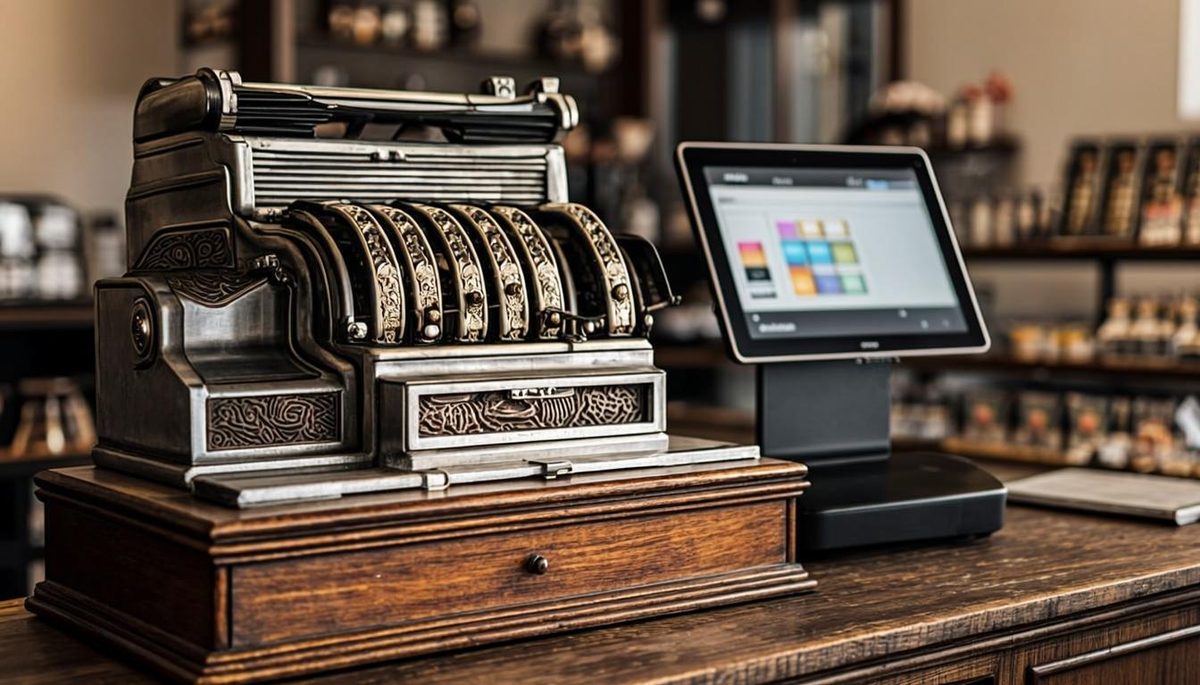
What each tool actually does
| Job | Cash register | Excel | POS system |
|---|---|---|---|
| Total a bill and store cash | Yes | No | Yes |
| Live stock after each sale | No | If someone updates it | Yes — automatic |
| Profit per item / per day | No | Manual math | Built-in reports |
| Customer credit ledger | Register copy | A sheet nobody updates | Per-customer, WhatsApp reminders |
| Staff accountability | None | None | Per-cashier logins and shift reports |
| Offers (bulk, BOGO, discount rules) | Manual math | Manual math | Automatic at the counter |
| Multi-branch visibility | No | Week-old copies | One login, live |
The honest summary: a register is a money box, Excel is a notebook, and a POS is the operating system of the business. The register does one job perfectly — and everything around that job is where shops leak.
The 7 signs you have already outgrown the register
- Stock surprises. Physical count disagrees with what "should" be there — weekly, not yearly.
- Credit sales are a mystery. You can't say today's total outstanding within a few thousand rupees.
- Cashier disputes. Short cash at closing, and no record of who billed what or who voided a bill.
- Profit is a feeling. You know the month "felt okay" but cannot name your top-10 profitable items.
- Offers are chaos. Every special price is mental math at the counter, and mistakes are common.
- You are the bottleneck. Stock checks, price lists and reports only happen when you personally sit down.
- A second branch (or dream of one). Two registers means two truths; you need one.
Three or more of these? The upgrade is not an expense — it is closing leaks you already have. Two of our most-read guides show what leaks cost: 15 inventory tips and our Loyverse comparison.
"But Excel is free" — the real cost of the notebook
Excel fails in retail for one structural reason: the sale and the spreadsheet are two different worlds. The cashier bills on the register, and the sheet gets updated tonight, maybe, by someone. That gap is where every surprise lives — negative stock, duplicate SKUs, yesterday's prices, credit that exists only in memory. A POS merges the worlds: the bill IS the record. Nothing to update, nothing to forget.
What switching costs (and saves) in Pakistan
Software: from about PKR 5,000/month, or PKR 30,000 one-time for a lifetime license (MrPOS pricing). Hardware: your existing PC usually works; add a thermal printer and scanner and you are at roughly PKR 20,000–35,000 for the counter. Setup: one day including product import and staff training.
Savings, from the leaks above: one recovered carton a month, 2% tighter credit collection, and one hour of owner time a day already covers a year of software. That is why our grocery guide starts from "what leaks", not "what features".
How to upgrade without a single lost day
- Day 0 — demo on your data. 50 of your real items in a live demo, bill at the counter yourself.
- Day 1 — import. Supplier price list → CSV → import; print shelf labels from the system.
- Day 2 — parallel run. Register stays powered off but ready; bill only on POS.
- Day 3 — reports on. Morning low-stock report, closing X-report, weekly top/bottom movers.
- Week 2 — cut over fully. Archive the register in the storeroom where it belongs.
The verdict
Keep the register if you sell a dozen items a day to face-known customers and want nothing else from the business. Keep Excel if you love bookkeeping more than retailing. Everyone else: the tool that records every sale, stock move and rupee of credit automatically is cheaper than the leaks it stops — and it makes the owner's phone the best seat in the business.
Frequently asked questions
Is a POS system worth it for a very small shop?
If the shop has any stock, credit sales or staff, yes — small shops gain the most because every leak comes straight out of the owner's pocket. Software from PKR 5,000/month is typically less than one month's recoverable losses.
Can I keep using Excel alongside a POS?
You will not need to — the POS produces the same reports live. Keeping a parallel Excel usually lasts two weeks out of habit, then stops.
What happens to my old register?
It can run as a backup during the first parallel week; after that it is a storeroom souvenir. Data history from before the POS stays in your exports.
Does a POS need expensive hardware?
No. Any existing Windows PC or Android tablet, plus a thermal printer (PKR 8,000–18,000) and optionally a scanner, is a complete counter.
How fast can cashiers learn it?
The billing flow is scan → pay → print. Most cashiers bill confidently within one shift; MrPOS includes WhatsApp-based training in Urdu/Roman Urdu.
Next step: see it on your own data
MrPOS offers a free live demo (no card required) — setup typically completes in one day, including data import. WhatsApp us at 0316 6132742 or message us for a free demo.
Explore the products: MrPOS ERP · MrPOS Retail · MrPOS RMS — or use the Your Number calculator to estimate how much your current setup is leaking.